How to Download TikTok Videos Without Watermark on Keeptik.com
TikTok is full of creative, entertaining, and inspiring videos. But sometimes you want to save a clip to watch offline or repurpose it for your own projects. The challenge? TikTok’s built‑in download option usually adds a watermark. If you’re looking for a cleaner version, Keeptik.com offers a simple solution.
⚠️ Important Note: Keeptik.com is a third‑party tool, not affiliated with TikTok. Always respect creators’ rights and use downloads responsibly. Avoid reposting others’ content without permission.
🎯 Step‑by‑Step Guide
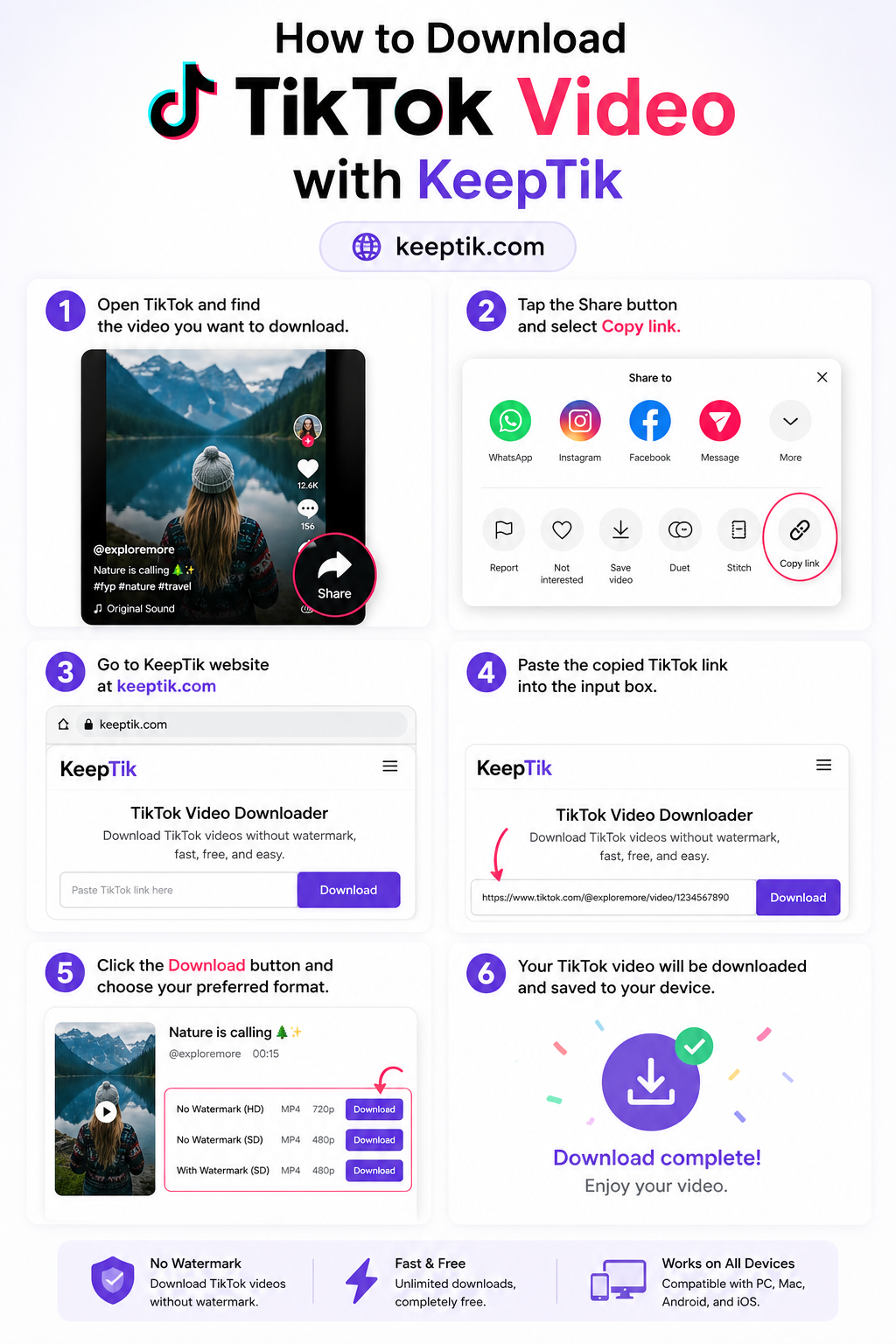
1. Copy the TikTok Video Link
- Open TikTok and find the video you want.
- Tap the “Share” button and select Copy Link.
2. Go to Keeptik.com
- Open your browser and visit Keeptik.com.
3. Paste the Link
- Insert the copied TikTok link into the search box.
4. Choose Format
- Select whether you want the video (MP4) or audio (MP3).
5. Download Without Watermark
- Hit the download button, and Keeptik will save a watermark‑free version to your device.
✅ Benefits of Keeptik.com
- Free and easy to use.
- Removes TikTok watermarks.
- No login or signup required.
- Works on mobile and desktop browsers.
📌 Final Thoughts
Keeptik.com is a quick way to save TikTok videos without watermarks, making it useful for creators who want clean versions of their own clips or fans who want to keep favorite videos offline. Just remember: use it responsibly, respect original creators, and stay mindful of copyright rules.
Comments (0)
Leave a Comment