
Bulk download from a profile
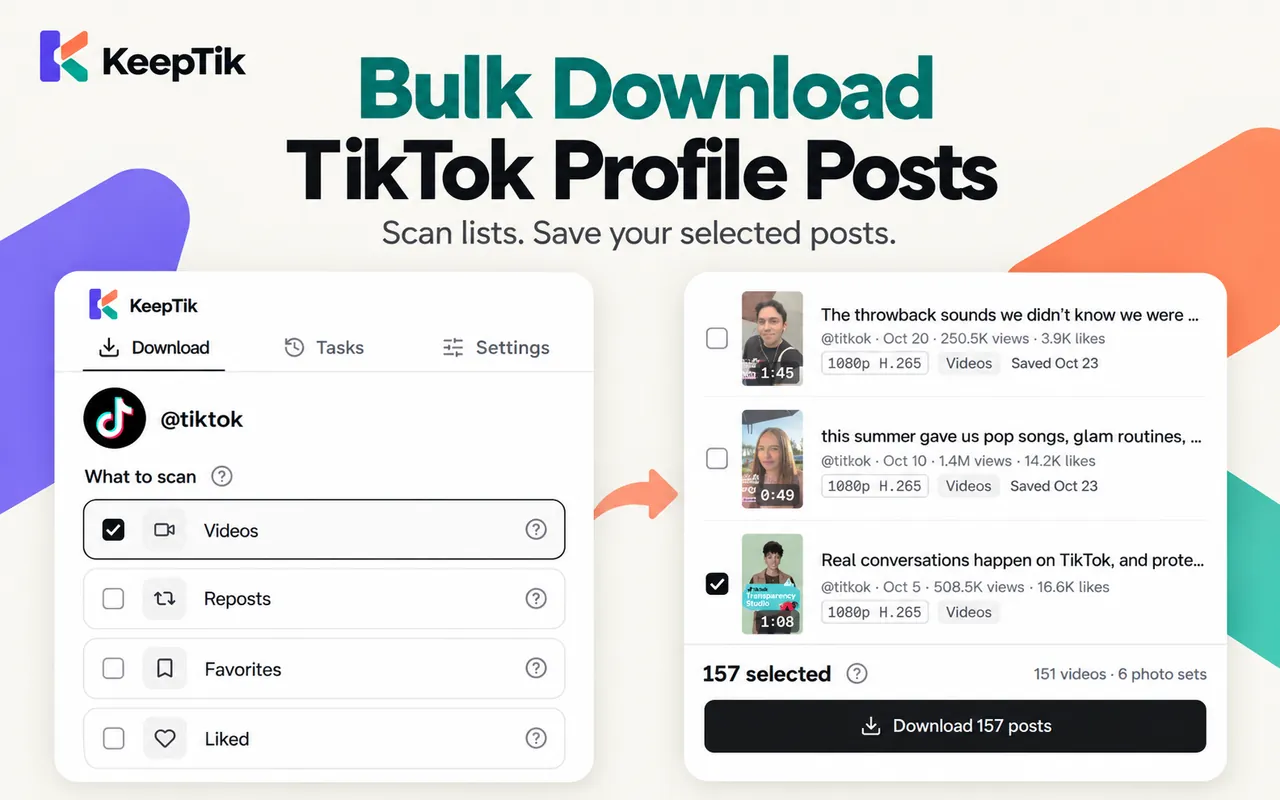
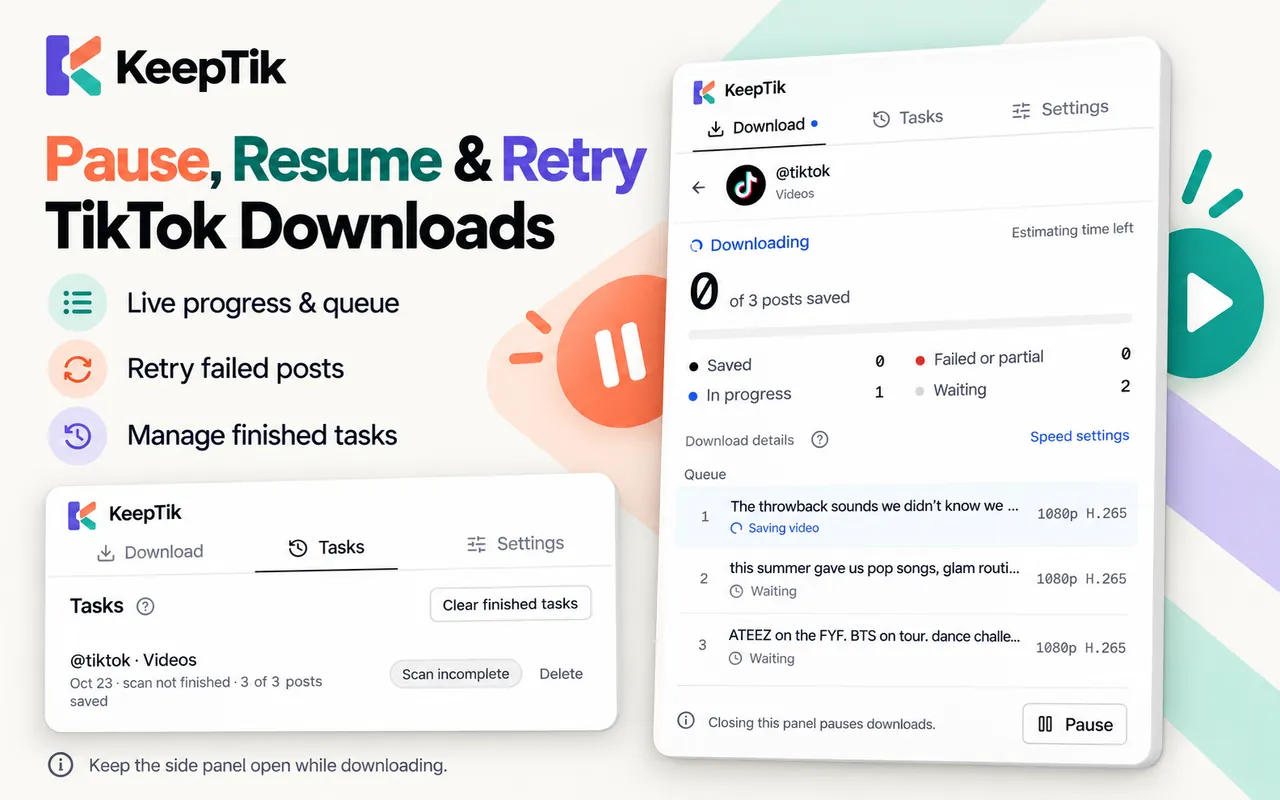
Scan a profile’s lists, preview and pick posts, then download them in one batch you can pause, resume and retry.
Explore bulk downloadBrowser extension · Runs locally on your computer
KeepTik is a TikTok video downloader extension for Chrome. Save the video you’re watching as an MP4 in one click, keep photo posts as separate images, or bulk download the posts you pick from a profile’s lists — straight to your computer.
No watermark remover needed: save TikTok videos in HD, download TikTok photos and slideshows, or bulk download a profile’s Videos, Reposts, Favorites and Liked lists.
Open KeepTik beside TikTok, scan the lists you want, choose your posts, then download them into one folder. Every post ends with a status you can check.
What the extension does today — product facts, not usage statistics.
4lists
Bulk download sources
Videos, Reposts, Favorites and Liked — any list your TikTok account can open.
1folder pick
Per batch
Choose a folder once and every file goes straight in. No save dialog for each file.
2formats
Download reports
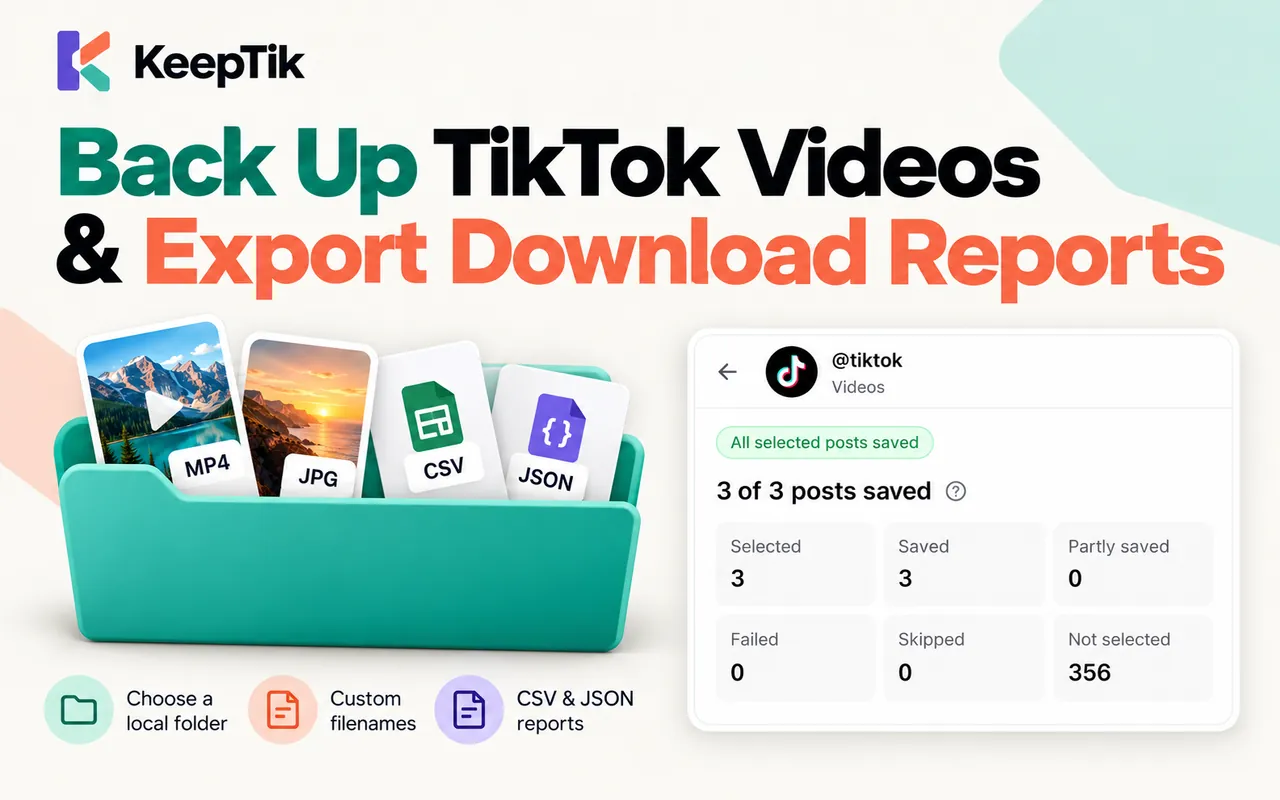
Export the whole post list as CSV or JSON, with a status and reason for each post.
0uploads
To our servers
Videos and photos go straight from TikTok to your computer. Nothing passes through keeptik.com.
Download a single video, bulk download a profile, or back up the TikToks you liked and saved. Each has its own page with the details.
Scan a profile’s lists, preview and pick posts, then download them in one batch you can pause, resume and retry.
Explore bulk downloadKeep the TikToks you liked, favorited and reposted in tidy folders, with the creator in every file name.
Explore backupsEvery photo of a photo post is saved as its own image, numbered in order. A missing photo is reported, not hidden.
Explore photo postsKeepTik runs on the TikTok page you already have open. You never paste a URL into a website, and keeptik.com never downloads anything for you.
How it worksInstall the extension in desktop Chrome and open TikTok. A Download button appears under the caption of the video you’re watching.
Click Download to save the MP4 without watermark. Pick the highest quality TikTok offers or a more compatible H.264 file.
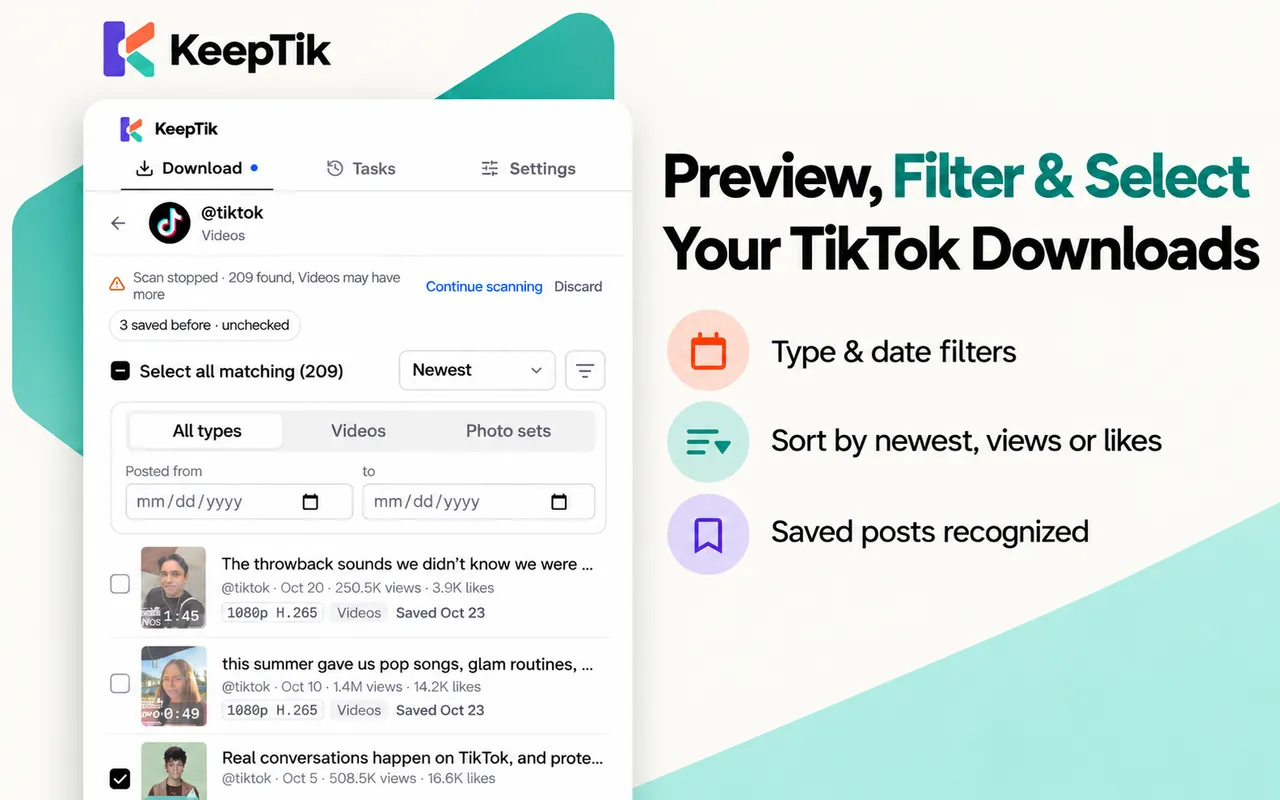
Open the KeepTik side panel on a profile, choose Videos, Reposts, Favorites or Liked, then preview and tick the posts you want.
Files go into the folder you chose. Every post ends as saved, partly saved, failed or skipped, with a reason you can export.
KeepTik saves what TikTok shows your signed-in browser. It isn’t a universal downloader, and it never pretends to be one.
Read the full listThree commitments shape the product. Each has a page with the details.
No cloud library: settings, tasks and download history stay in your browser, and videos never pass through keeptik.com.
Read the privacy pageEvery file is checked for size and format before it counts as saved, and KeepTik tells you when a list wasn’t scanned to the end.
See supported contentKeepTik is independent of TikTok and keeps the creator in every file name. Don’t re-upload someone’s work without permission.
Read responsible useStraight answers before you install — including what KeepTik won’t do.
Visit supportInstall KeepTik in desktop Chrome and open the TikTok video. Click the Download button under the caption, and KeepTik saves the MP4 without watermark to your computer. You can also use the side panel’s Download button.
A Chrome extension for desktop. It works on the TikTok page you already have open; keeptik.com never asks for a link and never downloads anything for you.
KeepTik saves the video stream TikTok plays, which has no watermark, exactly as received — no watermark remover needed. If TikTok offers only its watermarked copy, KeepTik marks the post clearly, or skips it if you prefer.
Yes, when TikTok has them. KeepTik picks the highest quality TikTok offers, or a more compatible H.264 file if you choose. Each version shows its resolution, codec and size before you download.
You can scan a profile’s Videos, Reposts, Favorites and Liked lists and download the posts you select in one batch. KeepTik tells you whether each list was scanned to the end.
For a batch, you choose a folder once and every file goes straight into it. Single downloads go to a KeepTik folder in your Downloads. File names follow a template you can change, and always keep the post ID.
Not to download a video you can watch. Liked and Favorites can only be read when TikTok shows them to the account you’re signed in with — usually your own profile.
No. KeepTik is a desktop Chrome extension (Chrome 116 or later). It doesn’t run on iPhone, iPad or Android.
The extension follows Chrome’s language: English, Spanish, Portuguese (Brazil and Portugal), Indonesian and Simplified Chinese. Other languages fall back to English.
No. KeepTik is independent and isn’t affiliated with or endorsed by TikTok or ByteDance.
Download single videos without watermark, or a whole batch from a profile — and see exactly which posts saved.
Desktop Chrome 116 or later